Resolve Insolvent Status via UI
If your account balance runs out while you have active payment streams, the DataHaven network will flag your account as insolvent. This guide covers the process of checking your insolvent status, paying off any outstanding debt, and clearing the insolvent flag to restore your account's ability to store files in the network. This guide will cover the UI approach through the Polkadot.js Apps UI, while the Resolve Insolvent Status via API guide covers the Polkadot API approach.
Prerequisites
Before you begin, ensure you have the following:
- A file uploaded to DataHaven
- Your account has been flagged as insolvent (or you want to proactively check your status)
- Sufficient funds in your account to pay any outstanding debt
- A browser wallet (such as Talisman) with your account imported
Understanding Insolvency
Insolvency in DataHaven is a two-phase process. When your account balance can no longer cover a provider's charge, that provider marks you as "out of funds." However, you are not yet globally insolvent. You become officially insolvent only when a provider attempts to charge you a second time, and you still cannot pay. This means the effective grace period before insolvency depends on how frequently providers charge and on the minimum they will charge.
Once you are flagged as globally insolvent:
- Providers that detect your insolvency will automatically stop storing your files and settle debts from your deposits.
- You cannot create new buckets or upload new files.
- You cannot create new storage requests until the flag is cleared and the cooldown period passes.
Provider Auto-Cleanup vs Manual Recovery
During normal operation, providers will automatically detect that you've become insolvent, stop storing your files, and charge their owed debt from your deposits. When this happens, all your payment streams are cleaned up automatically, with no action on your part.
However, if a provider is offline or otherwise unable to process your insolvency (for example, if one of your providers went down and never detected your status change), the automatic cleanup won't fully complete. In this scenario, the payOutstandingDebt extrinsic acts as a failsafe, allowing you to manually release the locked funds from those unresolved payment streams and settle the debt yourself, rather than waiting indefinitely for an unreliable provider.
Resolution Steps
To resolve insolvency, you must:
- Pay your outstanding debt to providers (only needed if providers haven't already cleaned up your payment streams automatically).
- Manually clear the insolvent flag.
- Wait for the cooldown period of 100 blocks (~10 minutes) to pass before resuming normal operations.
Connect to Polkadot.js Apps
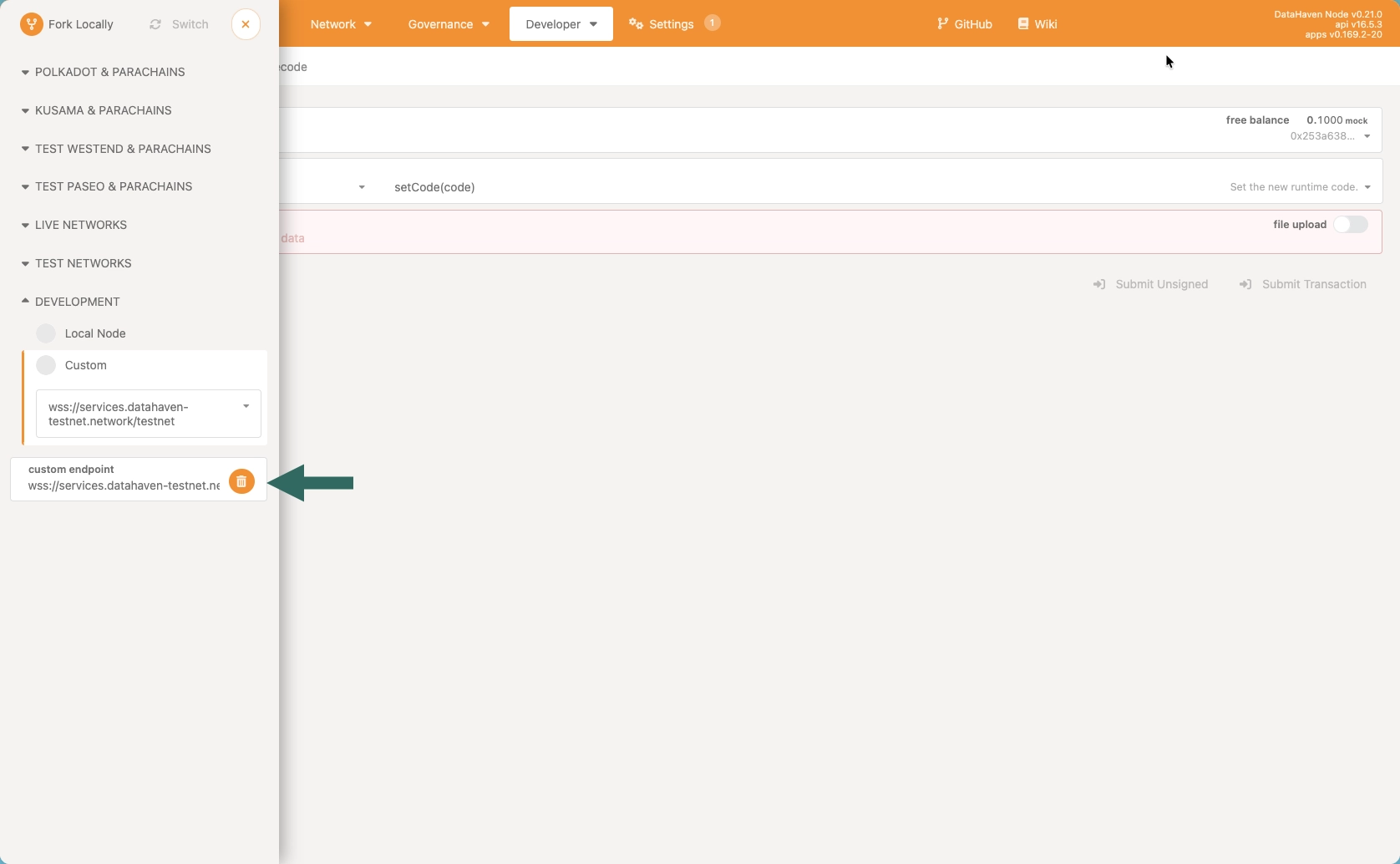
On Polkadot.js Apps, open the navbar on the top left, and set your custom wsUrl WebSocket endpoint to wss://services.datahaven-testnet.network/testnet.
Check Insolvent Status
Before attempting any recovery actions, first check whether your account is actually flagged as insolvent on the network.
-
Within the Developer section, go to the Chain state page.
-
Select the
paymentStreamspallet and theusersWithoutFundsquery. -
Enter your account address in the parameter field and click the + button to execute the query.
-
If the result returns a value (not
None), your account is flagged as insolvent and you need to proceed with the steps below to resolve it. If the result isNone, your account is not insolvent.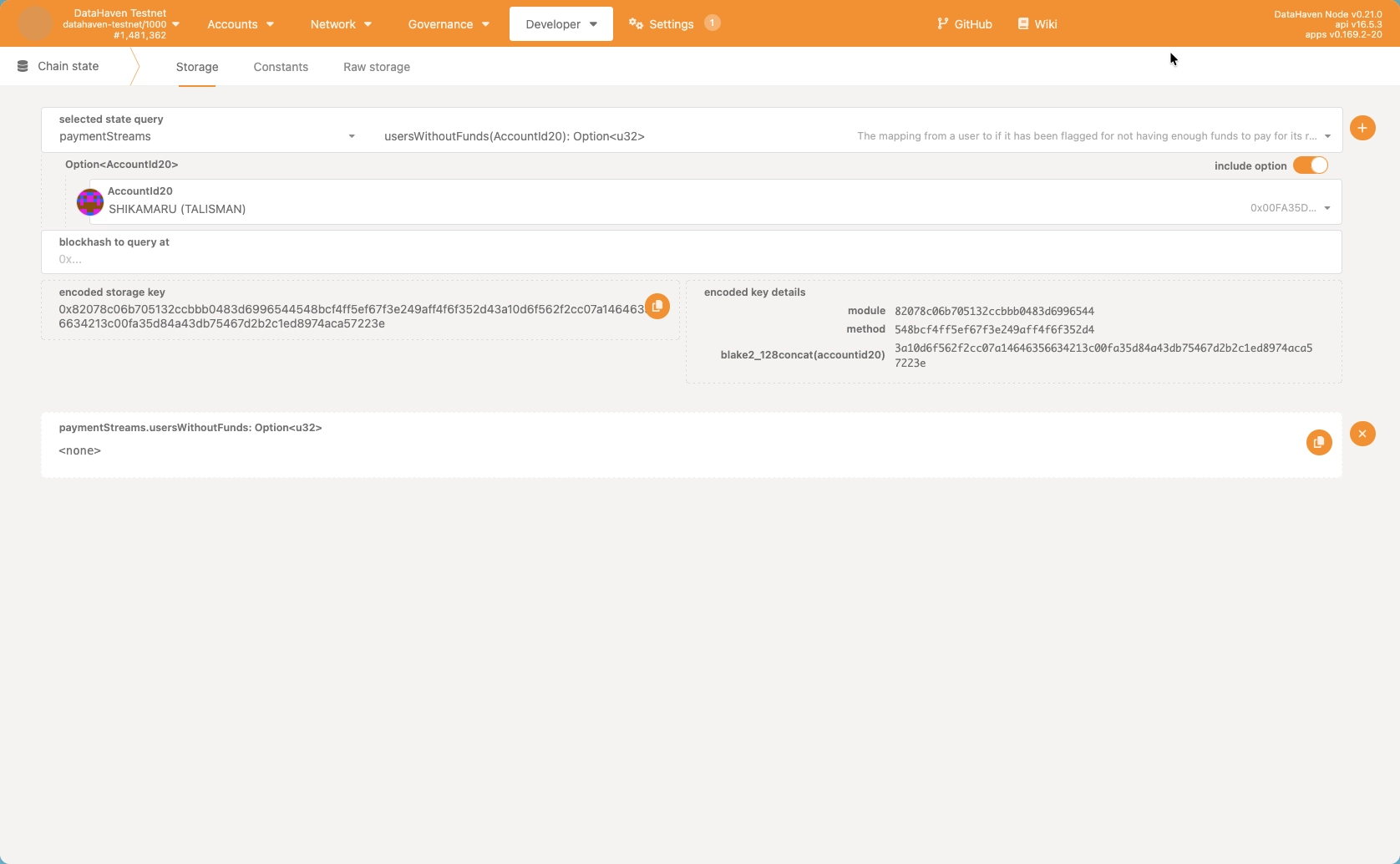
Pay Outstanding Debt
If all of your providers are online and have already automatically cleaned up your files and settled debts from your deposits, this step may not be necessary. However, if any provider was offline or failed to process your insolvency, you'll need to manually pay the outstanding debt to release the locked funds from those unresolved payment streams. Calling payOutstandingDebt also prevents further debt from accumulating while you wait for providers to react.
Note
To calculate your total outstanding debt before paying it, see the Resolve Insolvent Status via API guide.
-
Within the Developer section, go to the Extrinsics page.
-
Select your account from the using the selected account dropdown.
-
Select the
paymentStreamspallet and thepayOutstandingDebtextrinsic.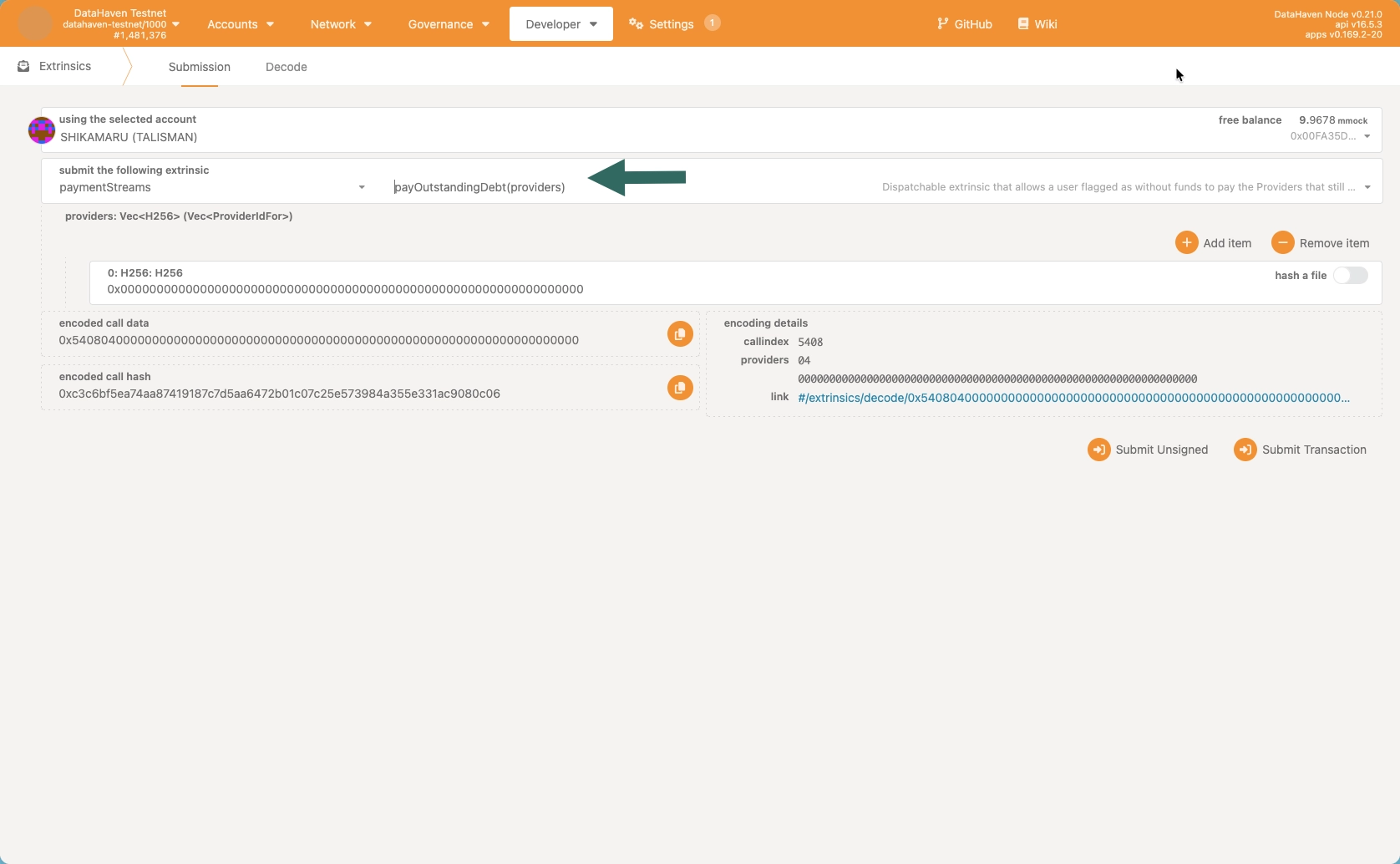
-
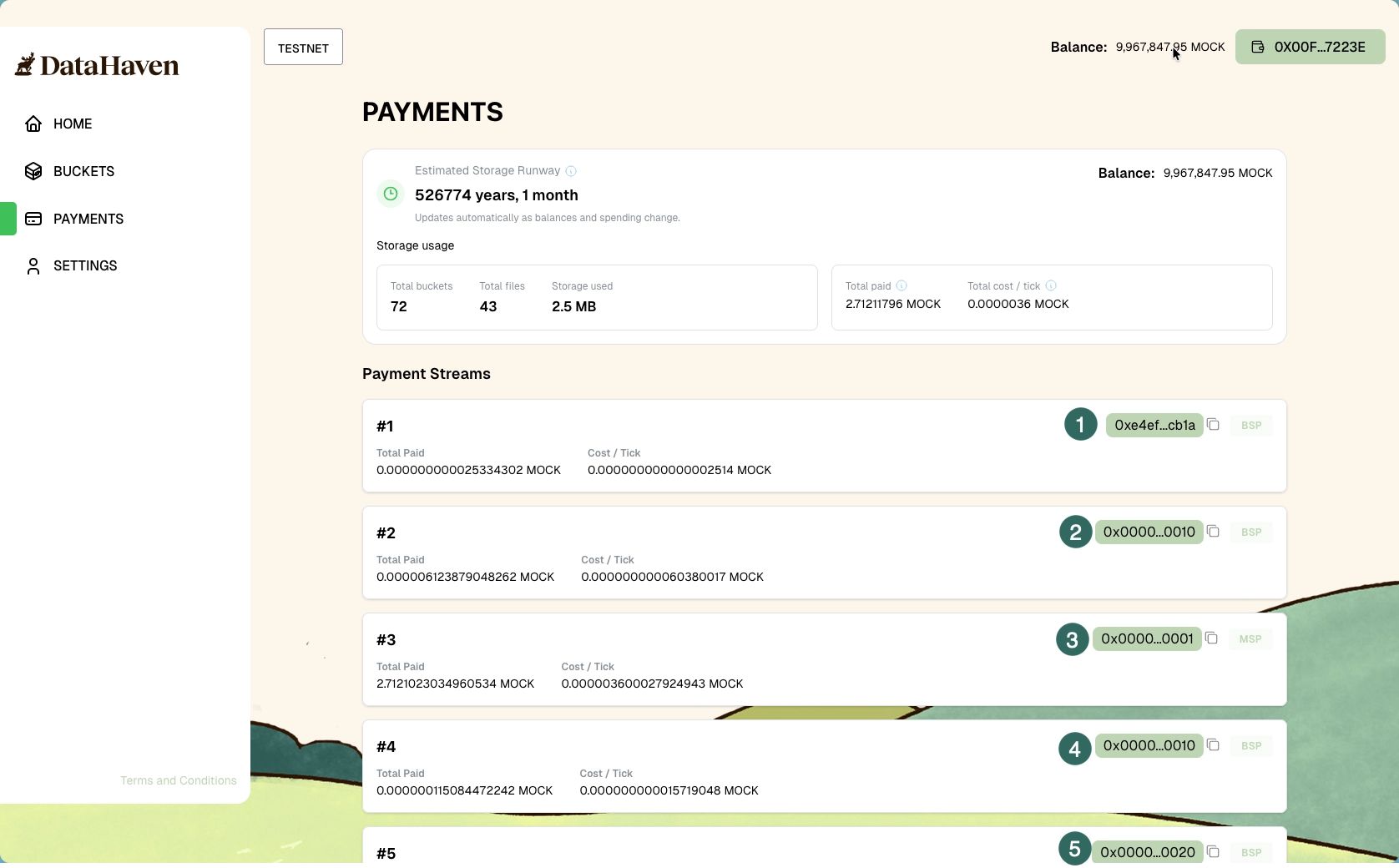
Find the values of
providerIdsparameter by checking the DataHaven dApp Payments page.Note
To query your payment streams yourself see the Track Costs guide.
-
In the
providerIdsparameter, add the provider IDs that you owe debt to. When you have multiple payment streams, some of them may be from the same provider. Make sure to only include each unique provider ID once in theproviderIdsparameter.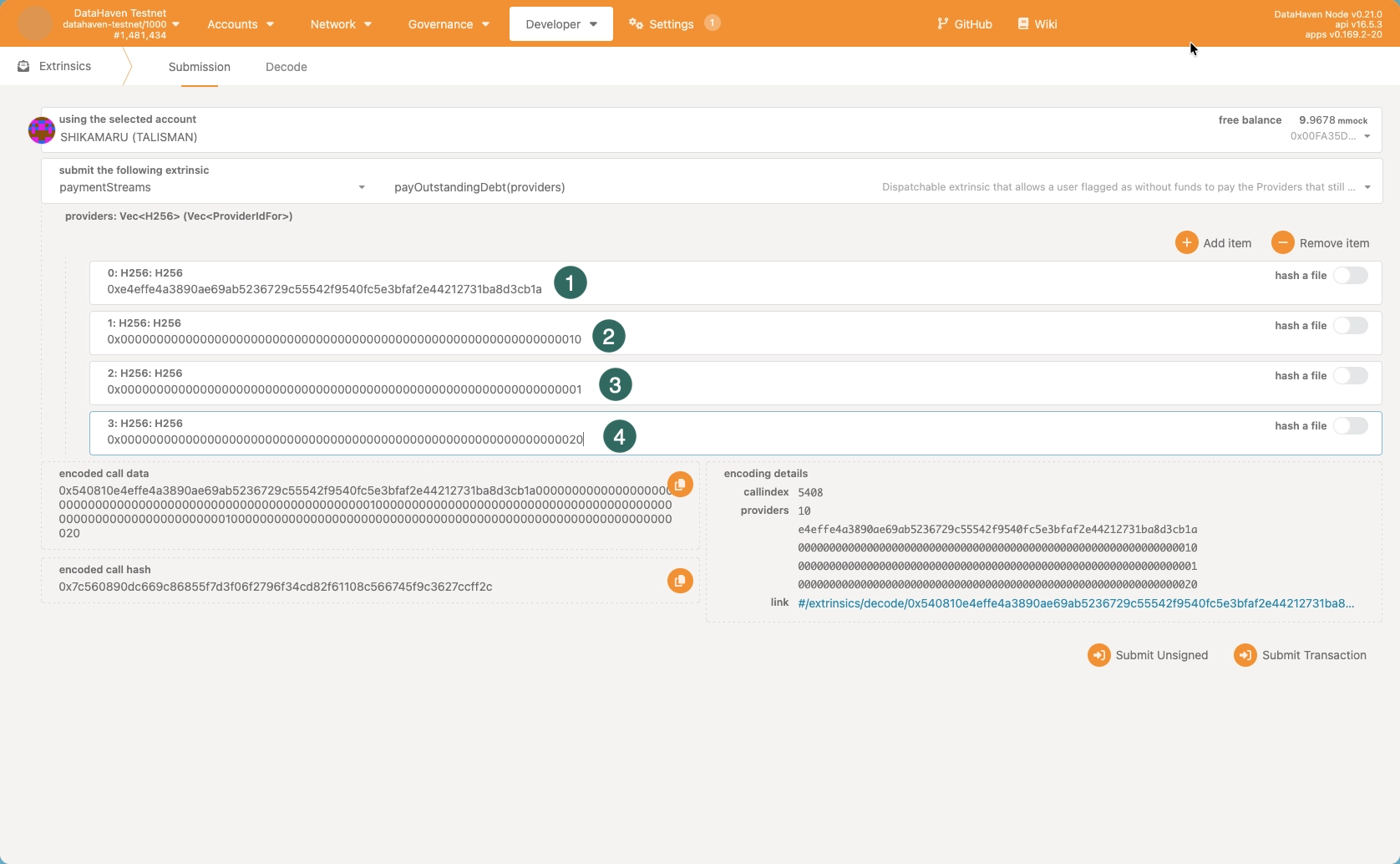
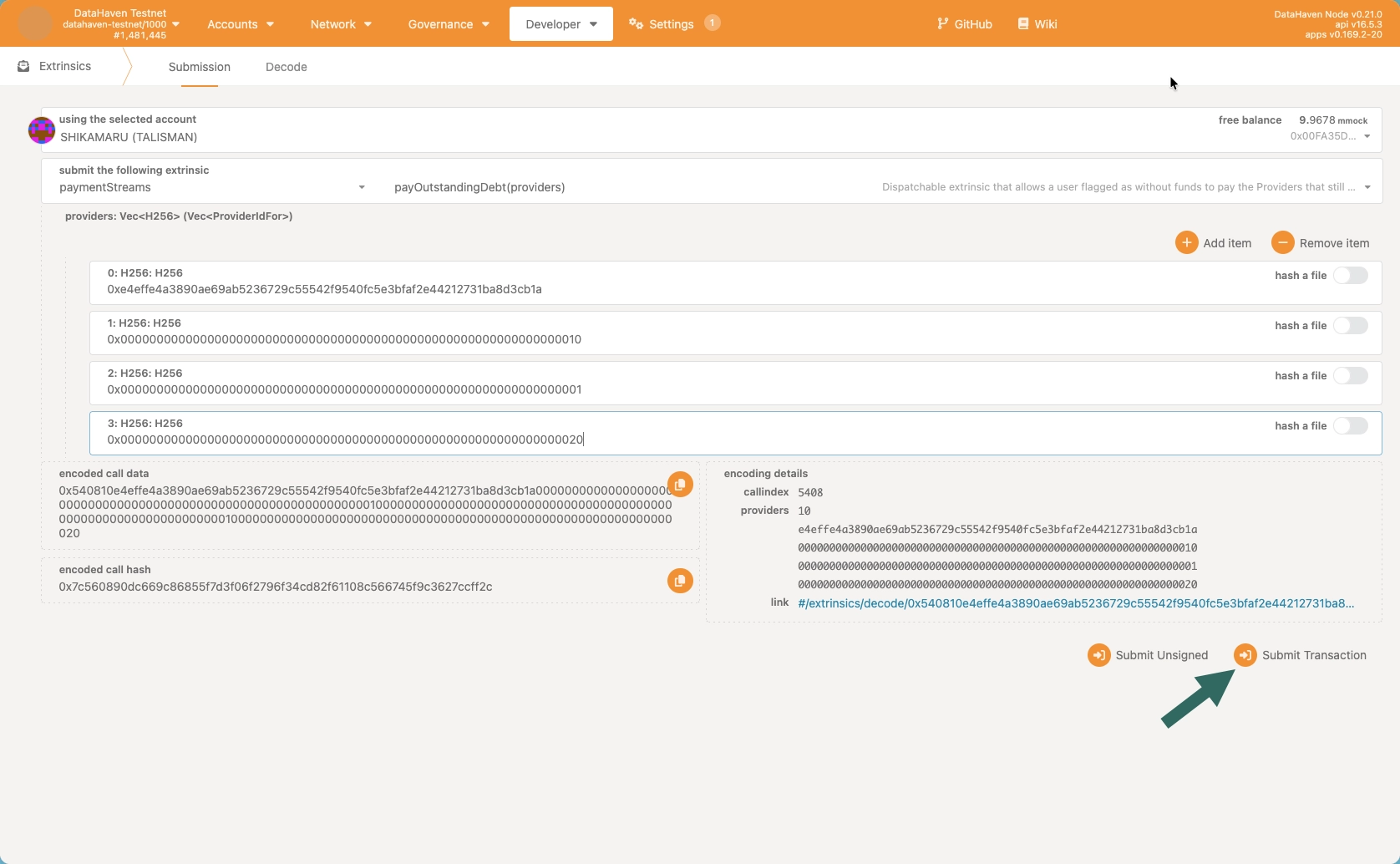
-
Click Submit Transaction and sign the transaction with your wallet.
Clear Insolvent Flag
After paying all outstanding debt, you must explicitly clear the insolvent flag from your account. This signals to the network that you've resolved your debt and wish to restore normal account functionality. Once the flag is cleared and the cooldown period has passed, you can resume processing new storage requests.
-
On the Extrinsics page, select the
paymentStreamspallet and theclearInsolventFlagextrinsic.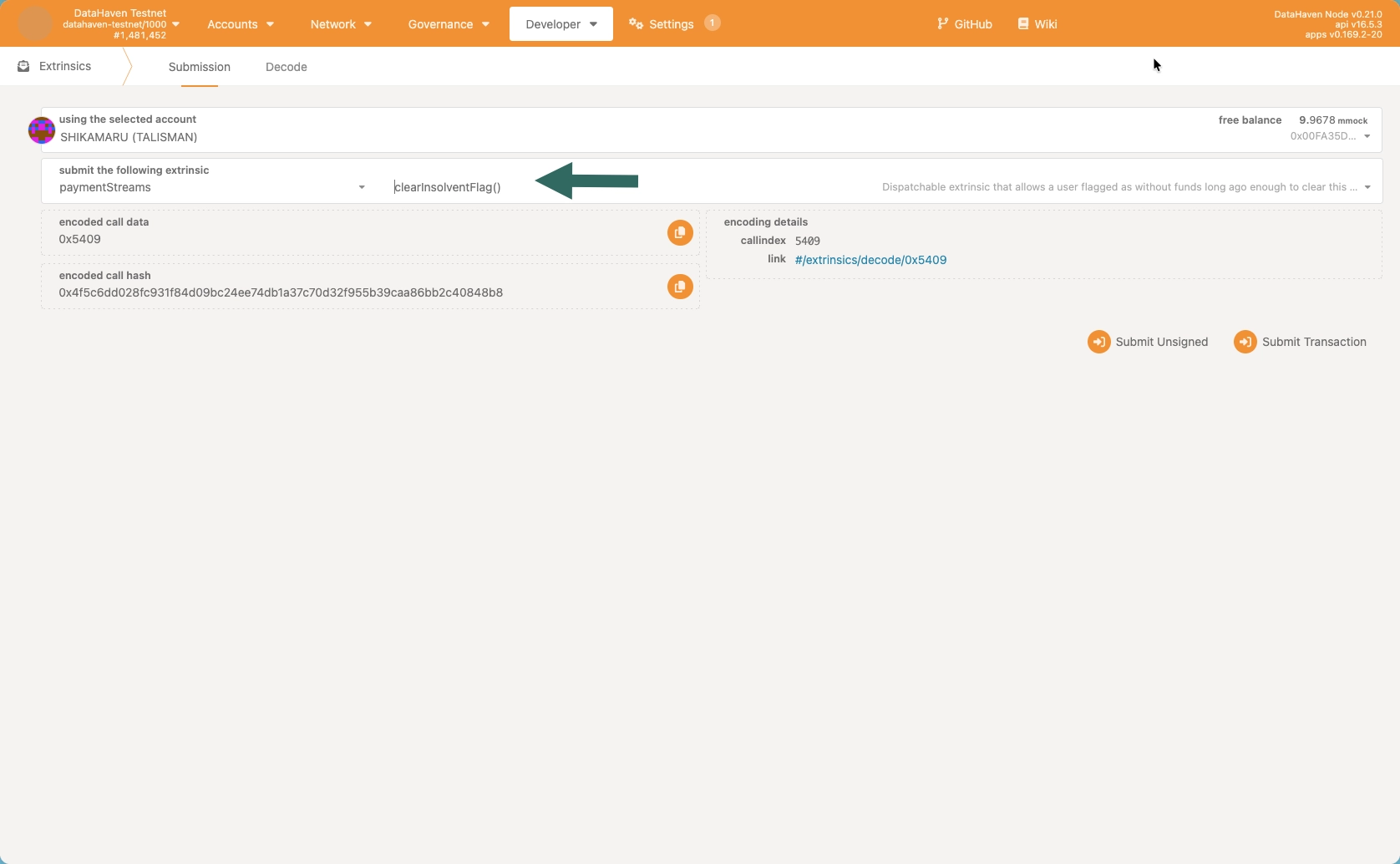
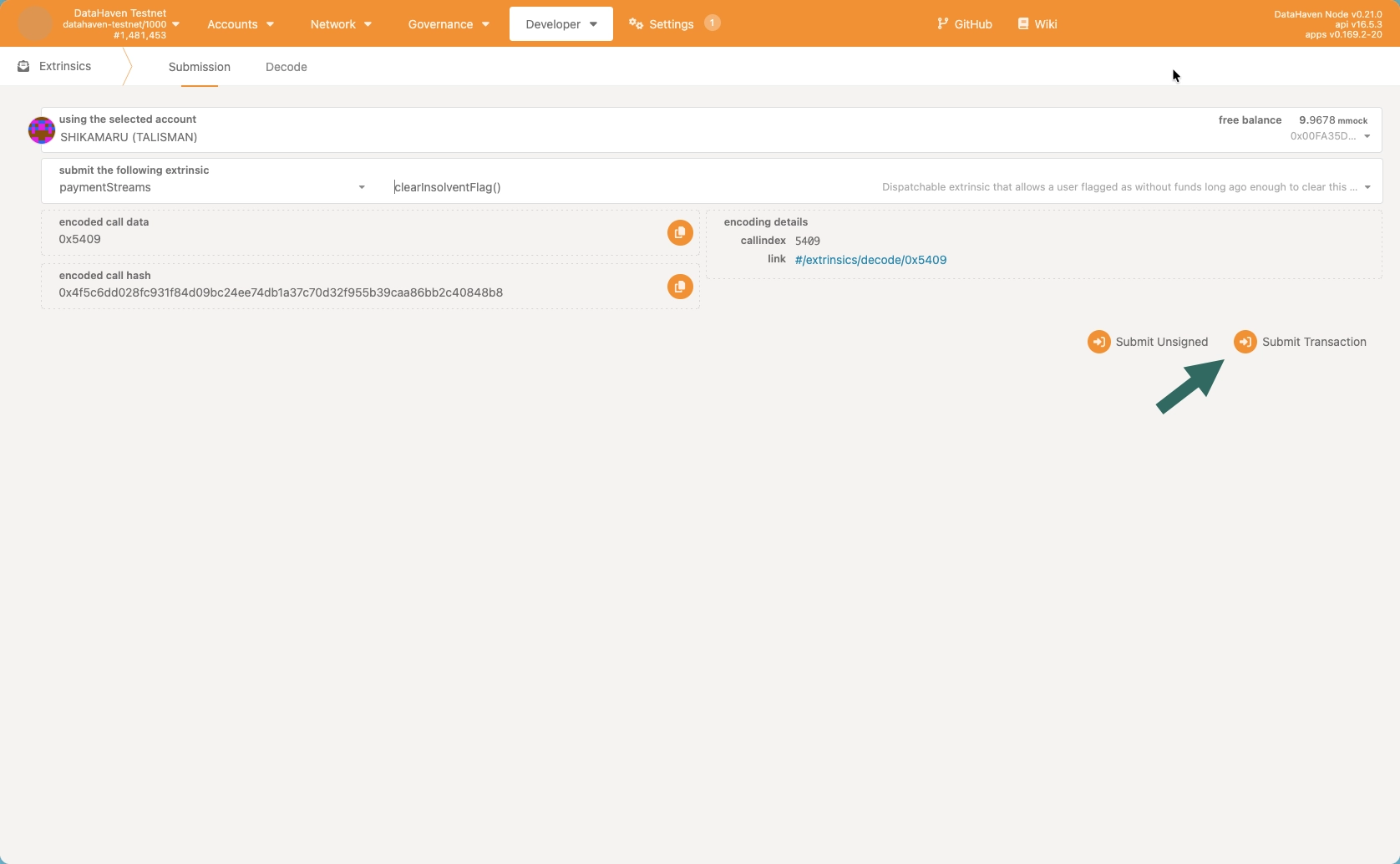
-
Click Submit Transaction and sign the transaction with your wallet.
Verify Resolution
After clearing the insolvent flag, verify that your account status has been updated.
-
Go back to the Chain state page.
-
Select the
paymentStreamspallet and theusersWithoutFundsquery. -
Enter your account address and click the + button to execute the query.
-
The result should now return
None, confirming that your account is no longer flagged as insolvent.
Cooldown Period
After successfully clearing the insolvent flag, a cooldown period of 100 blocks (~10 minutes) applies before you can resume normal operations like creating buckets or uploading files.
Next Steps
| Created: February 18, 2026